
Technical summary
Backed by very complete and detailed documentation, the "EasyPIC7" starter kit (designed and manufactured by mikroelektronika) is probably the PIC® microcontroller development tool with the best quality/price ratio on the market.
It consists of an extremely well-sized experimentation board (26.5 x 22 cm) combined with a very complete software suite.
The "EasyPIC7" board
Able to be powered directly from your PC compatible or via an external source, the "EasyPIC7" board has 8 sockets capable of accepting PIC® microcontrollers in packages of 8, 14, 18,20, 28 or 40 pins. An integrated regulation circuit will let you use, as you choose, microcontrollers that can be powered at a voltage of 3.3 V or 5 V.
The board integrates a multitude of peripherals that make study and development easier: LEDs, push buttons, RS232 link, USB connectors (for PICs able to handle this type of communication), expansion ports, a slot for optional displays and temperature sensors, etc...

The board is supplied as standard with a microcontroller of type PIC18F45K22. Able to be clocked up to 64 MHz, this microcontroller has 32 Ko of "Flash" program memory, 1536 bytes of RAM, 256 bytes of EEPROM memory, 35 input/output ports (28 of which can be used as "analog/digital" conversion channels with a 10-bit resolution), 7 timers, various PWM signal management functions, a serial communication port, an SPI™ communication port, an I2C™ communication port, etc...
More than 350 PIC microcontrollers supported
The "EasyPIC7" board is to date able to handle nearly 350 different PICs (the list below represents only a part of the supported PICs - The PICs mentioned below are given for information only - Consult the board's documentation to obtain the complete up-to-date list).
|
List of supported microcontrollers (PIC10 and PIC12 families) |
|
| PIC10F200 PIC10F202 PIC10F204 PIC10F206 PIC10F220 PIC10F222 PIC12F508 PIC12F509 PIC12F510 PIC12F609 PIC12F615 PIC12F629 PIC12F635 PIC12F675 PIC12F683 PIC12HV609 PIC12HV615 |
|
List of supported microcontrollers (PIC16 family) |
|
| PIC16F505 PIC16F506 PIC16F526 PIC16F54 PIC16F57 PIC16F59 PIC16F610 PIC16F616 PIC16F627 PIC16F627A PIC16F628 PIC16F628A PIC16F630 PIC16F631 PIC16F636 PIC16F648A PIC16F676 PIC16F677 PIC16F684 PIC16F685 PIC16F687 PIC16F688 PIC16F689 PIC16F690 PIC16F716 PIC16F72 PIC16F722 PIC16F723 PIC16F724 PIC16F726 PIC16F727 PIC16F73 PIC16F737 PIC16F74 PIC16F747 PIC16F76 PIC16F767 PIC16F77 PIC16F777 PIC16F785 PIC16F818 PIC16F819 PIC16F83 PIC16F84 PIC16F84A PIC16F87 PIC16F870 PIC16F871 PIC16F872 PIC16F873 PIC16F873A PIC16F874 PIC16F874A PIC16F876 PIC16F876A PIC16F877 PIC16F877A PIC16F88 PIC16F882 PIC16F883 PIC16F884 PIC16F886 PIC16F887 PIC16F913 PIC16F914 PIC16F916 PIC16F917 PIC16F946 PIC16HV610 PIC16HV616 PIC16HV785 |
|
List of supported microcontrollers (PIC18 family) |
|
| PIC18F1220 PIC18F1230 PIC18F1320 PIC18F1330 PIC18F2220 PIC18F2221 PIC18F2320 PIC18F2321 PIC18F2331 PIC18F2410 PIC18F242 PIC18F2420 PIC18F2423 PIC18F2431 PIC18F2439 PIC18F2450 PIC18F2455 PIC18F2458 PIC18F248 PIC18F2480 PIC18F2510 PIC18F2515 PIC18F252 PIC18F2520 PIC18F2523 PIC18F2525 PIC18F2539 PIC18F2550 PIC18F2553 PIC18F258 PIC18F2580 PIC18F2585 PIC18F2610 PIC18F2620 PIC18F2680 PIC18F2682 PIC18F2685 PIC18F4220 PIC18F4221 PIC18F4320 PIC18F4321 PIC18F4331 PIC18F4410 PIC18F442 PIC18F4420 PIC18F4423 PIC18F4431 PIC18F4439 PIC18F4450 PIC18F4455 PIC18F4458 PIC18F448 PIC18F4480 PIC18F4510 PIC18F4515 PIC18F452 PIC18F4520 PIC18F4523 PIC18F4525 PIC18F4539 PIC18F4550 PIC18F4553 PIC18F458 PIC18F4580 PIC18F4585 PIC18F4610 PIC18F4620 PIC18F4680 PIC18F4682 PIC18F4685 |
The bundled software suite
MikroProg Suite™
The "EasyPIC7" starter kit is supplied with a DVD including the software for managing the board's USB programmer. This software (called MikroProg Suite™) offers many common functions: programming, reading, verification, blank check, protection, editing...
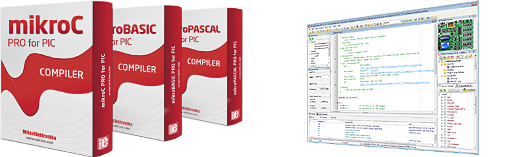
mikroelektronika compilers
The DVD also contains the demo versions of the BASIC (MikroBASIC PRO), "C" (MikroC PRO) and "PASCAL" (MikroPASCAL PRO) for PIC microcontrollers. These demo versions (limited to 2 KB of code) will let you experiment with most of the board's features. The full versions of the compilers can be purchased at the bottom of the page.
Many turnkey examples
The starter kit comes with many program examples written with the mikroelektronika compilers (some examples require optional expansion modules):
- Display on 7-segment LED digits in multiplexed mode
- Analog/digital conversion with display on an LCD screen
- Analog/digital conversion with display on LEDs
- Analog/digital conversion with the result sent to the RS232 port
- Timer 0 management
- Duration measurement
- Temperature measurement via DS18S20 with display on an LCD screen
- Temperature measurement via DS18S20 with the result sent to the RS232 port
- SPI™ communication example
- CAN communication example
- I2C™ communication example
- RS485 communication example
- Sound generation
- Sending/receiving data over the RS232 port
- Sending/receiving data via Ethernet
- Interrupt handling
- Displaying text on an LCD screen
- Driving the board's LEDs
- Displaying text and graphics on a graphic LCD screen
- Sending/receiving data with Manchester encoding
- Sine wave signal generation
- Expansion bus control via SPI™
- Touch panel handling
- Sending/receiving data via Ethernet through an SPI™-controlled controller
- Delay generation via timer 0 / 1 / 2
- PS/2 type PC keyboard management
- PCF8583 type RTC clock control
- Read/write example on a CF™ memory card
- Graphic display control with a T6963 controller
- Etc, etc...

In addition to the basic examples supplied with the "EasyPIC7" starter kit, you have access to a website specially dedicated to mikroelektronika compilers, from which you can download the source code of hundreds of applications. Regularly updated, this site is a mine of ideas and a valuable help for your developments. Click here to go to LIBSTOCK.
| Built-in USB programmer The "EasyPIC7" board features a powerful USB-connected programmer that lets you download your programs (developed in assembler or with any PIC compiler) into the microcontroller you have inserted into one of the sockets. Programming is done without a Bootloader, so that you can place a "standard" PIC on the board and program it immediately. |
 |
 |
Built-in debugger The USB programmer built into the board also serves as a debugger (provided you use a mikroelektronika compiler). You will then be able to develop like a "PRO" by using breakpoints in your programs and running them in step-by-step mode so as to check the state of your registers and variables on your PC screen. |
The strong points of the "EasyPIC7" starter kit
 |
 |
 |
 |
| Supplied with PIC18F45K22 |
Dual regulation 3.3V and 5V |
USB connection for programmer |
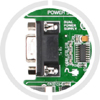
RS232 port built-in |
 |
 |
 |
 |
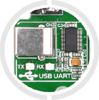
| Converter USB <> serial |
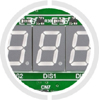
4 displays 7-segment LED |
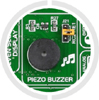
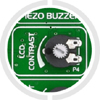
Buzzer built-in |
Debugger built-in |
 |
 |
 |
 |
| LCD slot 2 x 16 optional |
Ports brought out on male HE10 |
Contrast adjustment graphic display |
Contrast adjustment alphanumeric display |
 |
 |
 |
 |
| Touch panel controller |
LCD slot 128 x 64 optional |
Potentiometer on ADC inputs |
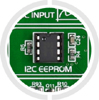
24AA01 EEPROM built-in |
 |
 |
 |
 |
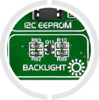
| Backlight control via PWM |
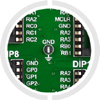
Ground lug brought out for measurements |
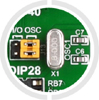
8 MHz crystal built-in |
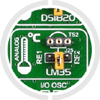
Slot for LM35 (optional) |
 |
 |
 |
 |
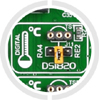
| Slot for DS1820 (optional) |
Connector for ICD2/ICD3 |
USB connector for certain PICs |
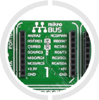
Socket (1) for ClickBoard module |
 |
 |
 |
 |
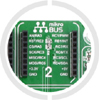
| Socket (2) for ClickBoard module |
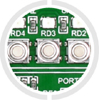
36 LEDs built into the board |
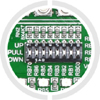
Pull-up/pull-down (or none) selection |
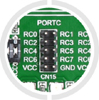
Ports brought out on male HE10 |
 |
 |
 |
|
| 36 built-in push buttons the board |
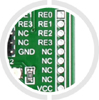
Ports brought out on pads |
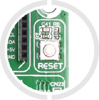
Push button Reset on the board |
| Slots for "Click Board" modules The "EasyPIC7" board has 2 socke- specially designed to take small expansion modules called "Click Board". These small optional modules will let you instantly add new capabilities and functions to your starter kit.Click here to see the list of "Click Board" modules |
 |
"EasyPIC7"... an expandable development tool!
 |
The "EasyPIC7" board has a multitude of male HE10 connectors giving access to the various input/output ports of the PIC microcontrollers.
These connectors also let you plug in other optional expansion modules able to add still more functions and capabilities to your starter kit: RS485 communication bus, wireless communication system, MP3 sound file playback, read/write capability on SD™ or CF™ memory cards, various sensors, display modules, analog/digital and digital/analog converters, etc, etc... |
Click here to see the list of expansion modules
The slots for Click™ Board modules as well as the HE10 male connectors will let you instantly add to your starter kit a GPS module, a GSM module, an IrDA communication module, a Bluetooth® module, a Wifi module, an Ethernet connection, a CAN communication bus, an RS485 port, an RS232 port, a fiber-optic data transmission system, a light sensor, a gyroscope, an accelerometer, an electronic compass, a temperature sensor, a capacitive sensor, a pressure sensor, an RTC clock, a microSD™ card storage system, a 4-20 mA converter, a "D/A" converter, an "A/D" converter, a digital potentiometer, a voice recognition module, a ".MP3" sound file playback module, relays, a joystick, a control module for a "DC" motor or for a stepper motor, an LED matrix, a video overlay system, an LED bargraph, etc...
Still more and more options!
We also offer as an option in the right-hand column a power supply, a DS18S20 temperature sensor, blank PIC microcontrollers, a 2x16 character alphanumeric LCD display, a 128x64 pixel blue backlit graphic LCD display, a serial cable (if you want to use the board's RS-232 port), a USB cable (if you use a PIC able to communicate over USB - such as the PIC18F4550 or PIC18F2550 for example), etc, etc...
Very detailed documentation

With 36 pages entirely in color, the documentation of the "EasyPIC7" starter kit explains step by step (with the help of many illustrations and theoretical diagrams) how to configure the board for the PIC® you wish to use, how to use the programmer and the debugger as well as the various built-in or optional peripherals.

Contents supplied with the "EasyPIC7" starter kit
- 1 board (with a PIC18F45K22) - without LCD display, touch panel, DS1820 sensor or serial cable
- 1 CD-ROM including the manual (in English) and the software suite
- 1 USB cable (for the integrated programmer)

